Help Section
Puzzles Do Not Load
- If you're playing on a desktop or laptop computer, a modern browser like Google Chrome, Mozzila Firefox, Opera or Microsoft Edge is required. Please update your browser if you are having any issues with out games.
- For mobile device like tables and mobile phones we recomment having the latest updates installed for your operating system and browser.
How do I rotate puzzle pieces?
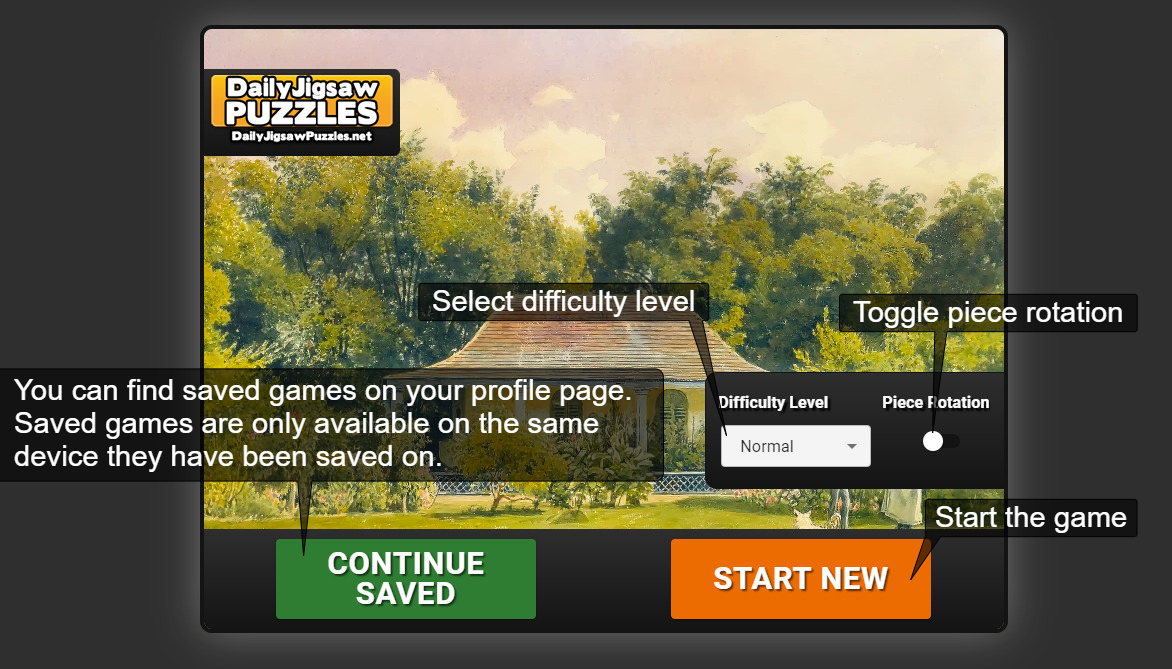
- After enabling piece rotation you can rotate a piece by double clicking/ tapping on it or pressing the space key while dragging the piece.
I forgot my password, how can I reset it?
- To reset your password go here and follow the instructions.
How do I delete my account?
- To delete your account and all the data associated with it, log in and go to the Edit Profile page.
On the edit profile page, mentioned above, scroll down to the DELETE ACCOUNT & DATA section and enter your details.
Click the red "DELETE MY ACCOUNT" button, confirm the action and wait for the confirmation.
Your account will be deleted as soon as you see the confirmation message.
I still have questions/need help. Where can I contact you?
- You can contact us via the contac form on our contact page.(scroll down for a link to the page)
- Or just email us at contact [@] dailyjigsawpuzzles[.]net or contact us on our Facebook page.
- We'll get back to you as soon as we can.